
Your Roblox thumbnail is the single most important piece of art in your entire game. Before anyone reads your description, watches your trailer, or plays a second of gameplay, they make a snap decision based on one image in a crowded feed. A great thumbnail can double your impressions-to-plays rate; a weak one quietly caps your growth no matter how good the game is.
This guide walks through exactly how to make a Roblox thumbnail that earns the click — the correct sizes, the design rules top games actually use, a repeatable step-by-step workflow, and how to get a professional result even if you've never touched Blender or Photoshop.
What "thumbnail" really means on Roblox (and why it matters)
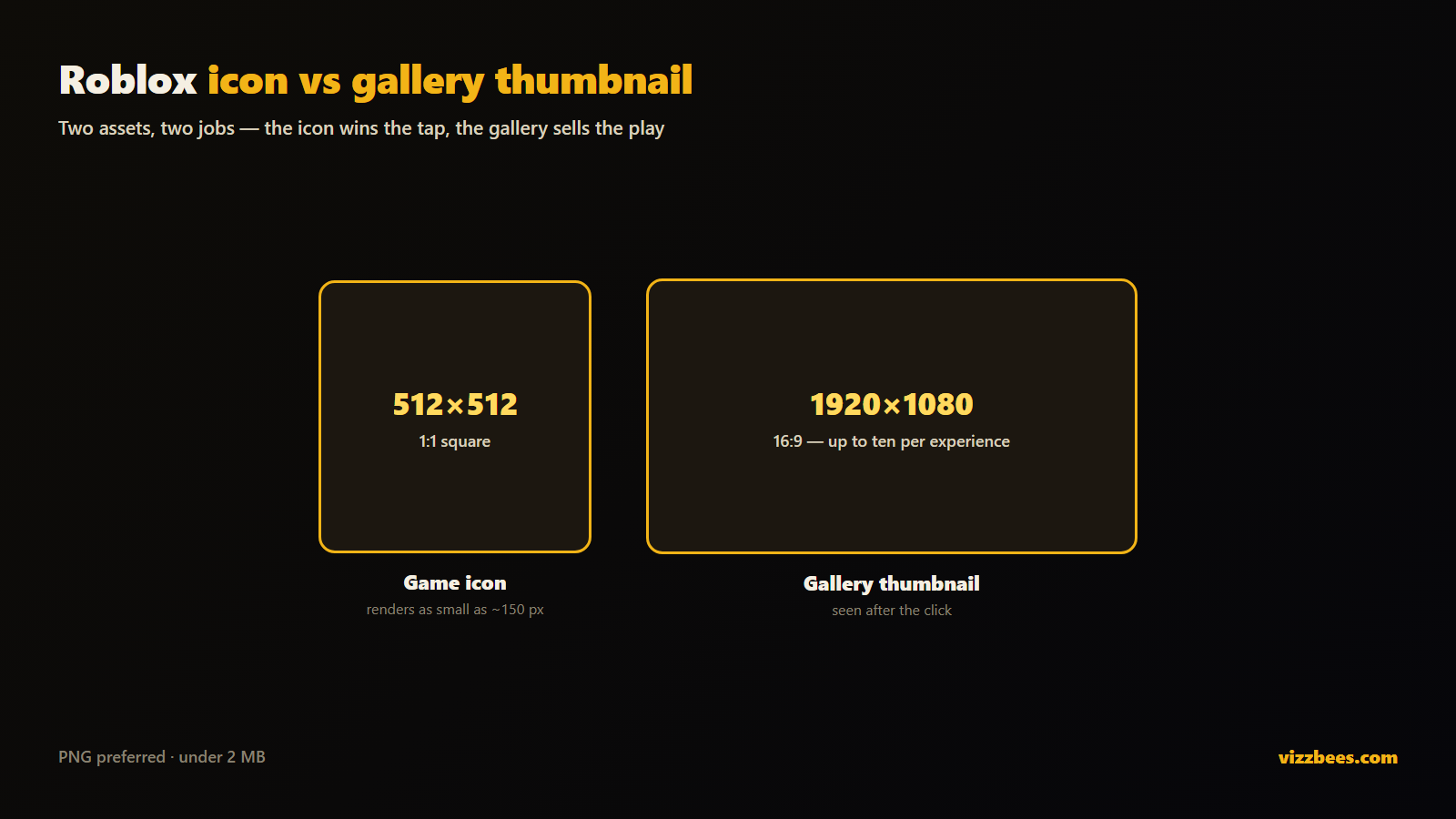
On Roblox, "thumbnail" gets used loosely for two different assets, and they do different jobs:
- The game icon is the single square tile that represents your experience everywhere — search, the home page, the "Recommended For You" row. There's exactly one, it renders as small as ~150×150 px, and its only job is to win the tap.
- The thumbnails are the larger 16:9 images (and short videos) in the gallery on your experience page. You can have up to ten, and their job is to convince someone who already clicked that the game is worth playing.
The icon drives click-through; the gallery thumbnails drive the play decision. You need both, and you should design them differently. If you only fix one thing, fix the icon — it's what the algorithm shows to cold traffic.
The correct Roblox thumbnail sizes for 2026
Getting dimensions right is the boring half of the job, but wrong sizes get cropped, blurred, or rejected. Here's the current spec:
- Game icon: 512×512 px, square (1:1). PNG preferred.
- Gallery thumbnail: 1920×1080 px, 16:9 aspect ratio (768×432 is the older minimum — design bigger and scale down).
- File format: PNG for crisp edges and text; JPEG is acceptable.
- File size: under 8 MB max, but aim for under 2 MB so it loads fast.
Pro move: design your icon at a higher resolution — say 1024×1024 — and export down to 512×512. Your text and edges stay razor-sharp instead of getting muddy. Always preview your work shrunk to feed size, because that's how 90% of players will actually see it.
The 6 rules of a high-CTR Roblox thumbnail
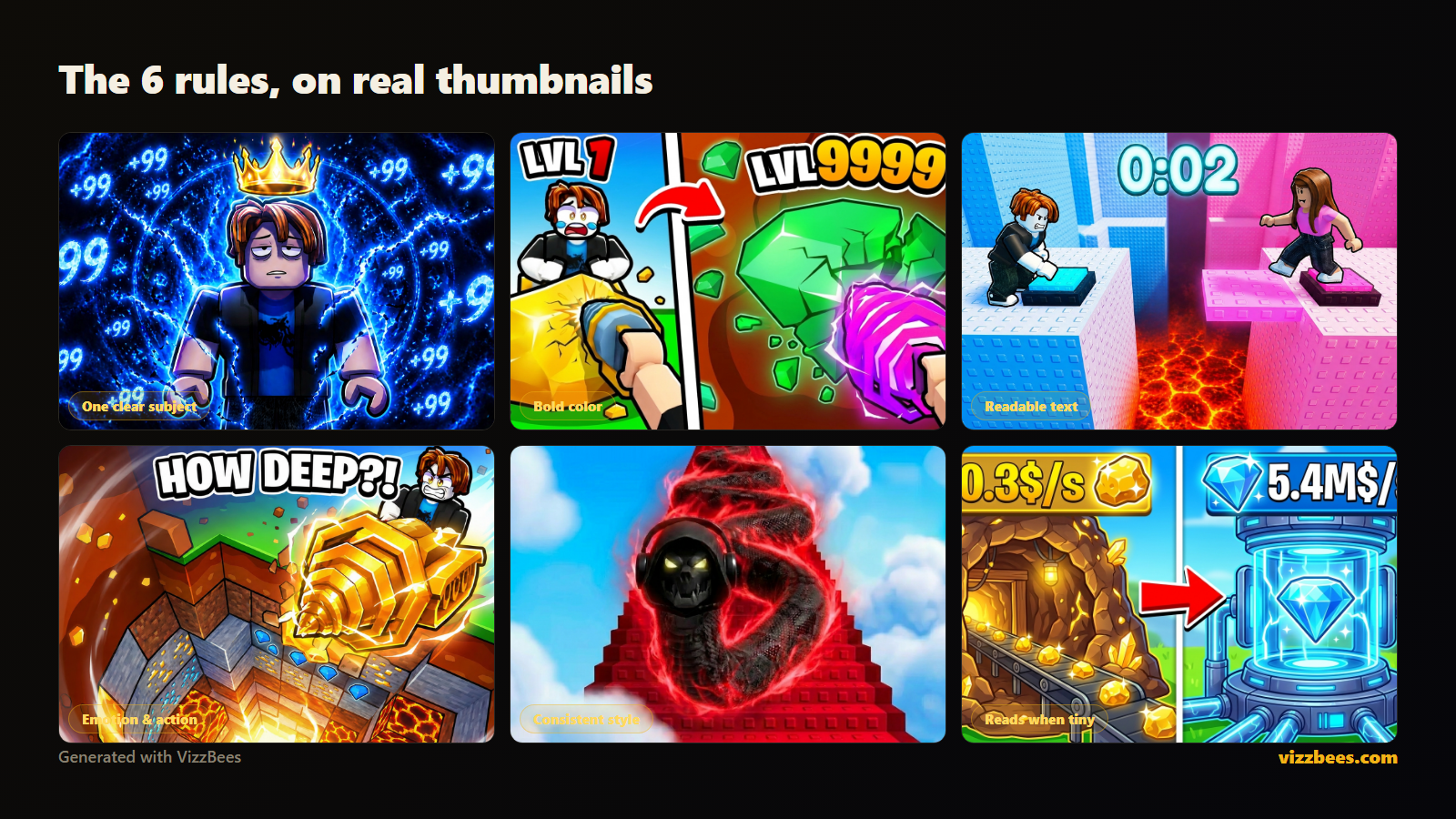
Look at the top games in any genre and the same patterns repeat. These aren't opinions — they're what wins the click at feed scale.
1. One clear subject
The strongest thumbnails have a single focal point — a character mid-action, one dramatic object, one emotion. Cramming three ideas into one tile makes all of them illegible when it shrinks. Decide the one thing a player should notice in half a second.
2. Bright, saturated, high-contrast color
Roblox's feed is a wall of thumbnails. Muted, realistic palettes disappear. Bold, saturated colors with strong contrast between the subject and background are what pull the eye. Add a rim light or an outline around your character so it separates from the backdrop.
3. Readable text — or no text at all
If you use words, use two to four of them, huge and bold: "NEW UPDATE," "99% FAIL," "SECRET BOSS." Anything longer is unreadable at 150 px. Many top icons use no text and let the character carry it. Test both.
4. Emotion and action
Faces and expressive poses convert. Shock, excitement, fear, triumph — an expressive character creates an instant hook that a static logo never will. Motion (a jump, a swing, an explosion) implies something is happening in your game.
5. Consistency across your assets
Your icon, gallery thumbnails, and any YouTube/TikTok promos should share a recognizable style. Consistency builds brand recall so returning players spot you instantly in a busy feed.
6. Design for the smallest size first
This is the rule everyone breaks. Your thumbnail lives or dies at feed size, not on your monitor. Zoom out until it's tiny — if the subject and text still read clearly, you've won. If not, simplify.
Step-by-step: your thumbnail workflow
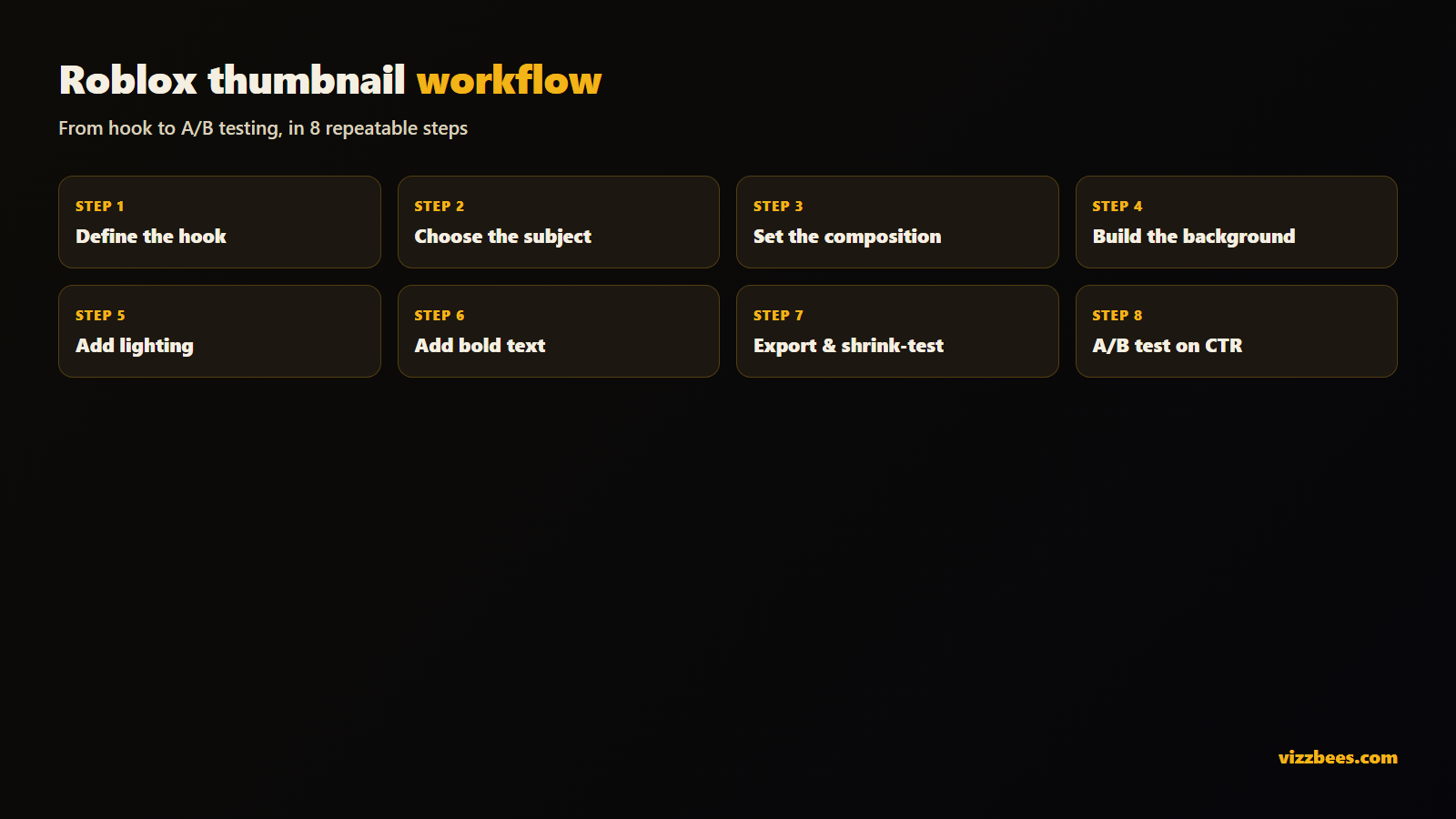
Here's a repeatable process whether you're doing it by hand or with AI.
- Define the hook. In one sentence, what's the most exciting thing in your game right now? That sentence is your thumbnail brief.
- Choose the subject. A character, a scene, or an object that represents the hook. Give it an expressive pose or action.
- Set the composition. Subject slightly off-center, filling 50–70% of the frame. Leave breathing room so nothing critical sits where the platform might crop.
- Build the background. Simple, colorful, and blurred or low-detail so it never competes with the subject.
- Add lighting and separation. A rim light or outline to lift the subject off the background. This one step is what makes amateur thumbnails suddenly look pro.
- Add text (optional). Two to four bold words, high contrast, with a stroke or shadow so they're legible on any background.
- Export at spec and shrink-test. 512×512 for the icon, 1920×1080 for gallery. Preview tiny before you publish.
- A/B test. Ship it, watch your qualified play-through rate (QPTR) in the Creator Dashboard, then iterate. QPTR is the % of people who see your thumbnail and decide to play — top games in a genre hit around 3.6%. Treat every thumbnail as a hypothesis.
Do you need Blender or Photoshop?
For years the "right" way to make Roblox GFX meant rigging a character in Blender, posing it, lighting a scene, rendering, then compositing in Photoshop. It produces beautiful results — and it takes hours per image plus a real learning curve. For a solo dev shipping updates weekly, that's a genuine bottleneck.
You do not need it anymore. AI thumbnail generators trained on Roblox art styles can produce a high-CTR icon or gallery image in seconds — with Roblox-accurate characters, dramatic lighting, and clean composition baked in. You describe the scene, pick a style, and get a finished, correctly-sized asset. For most creators the smart move is to generate a strong base with AI, then tweak text or crop in any free editor.
Try it free: Generate a Roblox thumbnail with VizzBees — describe your game, pick a style, and get a click-ready icon and 16:9 thumbnail at the correct sizes in seconds. No Blender, no render times.
Common mistakes that kill your click-through rate
- Tiny, detailed text that vanishes at feed size.
- Realistic or dark palettes that blend into the feed instead of standing out.
- Screenshots straight from the game with no composition — raw gameplay almost never out-clicks a designed thumbnail.
- Inconsistent style across icon, gallery, and socials, so players never build recognition.
- Never iterating. Your first thumbnail is a guess. The data tells you the truth.
Fixing even two of these usually moves the needle on impressions-to-plays within days.
Turn a good thumbnail into a growth engine
A thumbnail isn't set-and-forget. Ship a strong first version using the rules above, watch your QPTR, and swap in a new variant whenever growth flattens. Because a designed, high-contrast, single-subject image reliably out-clicks raw gameplay, the creators who iterate fastest tend to win the feed over time — regardless of budget.
If you'd rather spend that time building your game than learning render pipelines, an AI generator built for Roblox gets you a click-ready icon and thumbnail in seconds, at the exact sizes above.
Ready to make yours? Create your Roblox thumbnail with VizzBees →
FAQ
What size should a Roblox thumbnail be? Game icons should be 512×512 px (1:1 square). Gallery thumbnails should be 1920×1080 px (16:9). Use PNG, keep files under 2 MB, and design larger before scaling down for sharpness.
How do I make a Roblox thumbnail without Blender? Use an AI thumbnail generator trained on Roblox styles, like VizzBees. You describe your scene and get a finished, correctly-sized icon or thumbnail in seconds — no 3D modeling or rendering required.
What makes a Roblox thumbnail get more clicks? One clear subject, bright saturated high-contrast colors, an expressive character or action, minimal bold text (or none), and a design that stays readable at tiny feed size.
What is a good QPTR for a Roblox thumbnail? QPTR (qualified play-through rate) is the share of people who see your thumbnail and choose to play. Around 2–2.4% is typical; top games in a genre reach roughly 3.6%. Track it in the Creator Dashboard and iterate.
Should the icon and gallery thumbnails look the same? They should share a consistent style for brand recognition, but the icon must work tiny and win the click, while gallery thumbnails can be richer and sell the experience to someone who already clicked.
Can I use a screenshot as my thumbnail? You can, but raw screenshots rarely out-click a designed thumbnail. A composed image with a clear subject, lighting, and contrast almost always performs better.