
Wrong thumbnail dimensions get cropped, blurred, or rejected on upload — and a soft thumbnail loses the click before your content ever gets a chance. This is the current, correct spec for 2026, plus the export tricks that keep your text and edges sharp at every size YouTube displays.
If you also want the design side — the rules that actually win the click — see how to make a YouTube thumbnail that gets clicks.
The correct YouTube thumbnail size
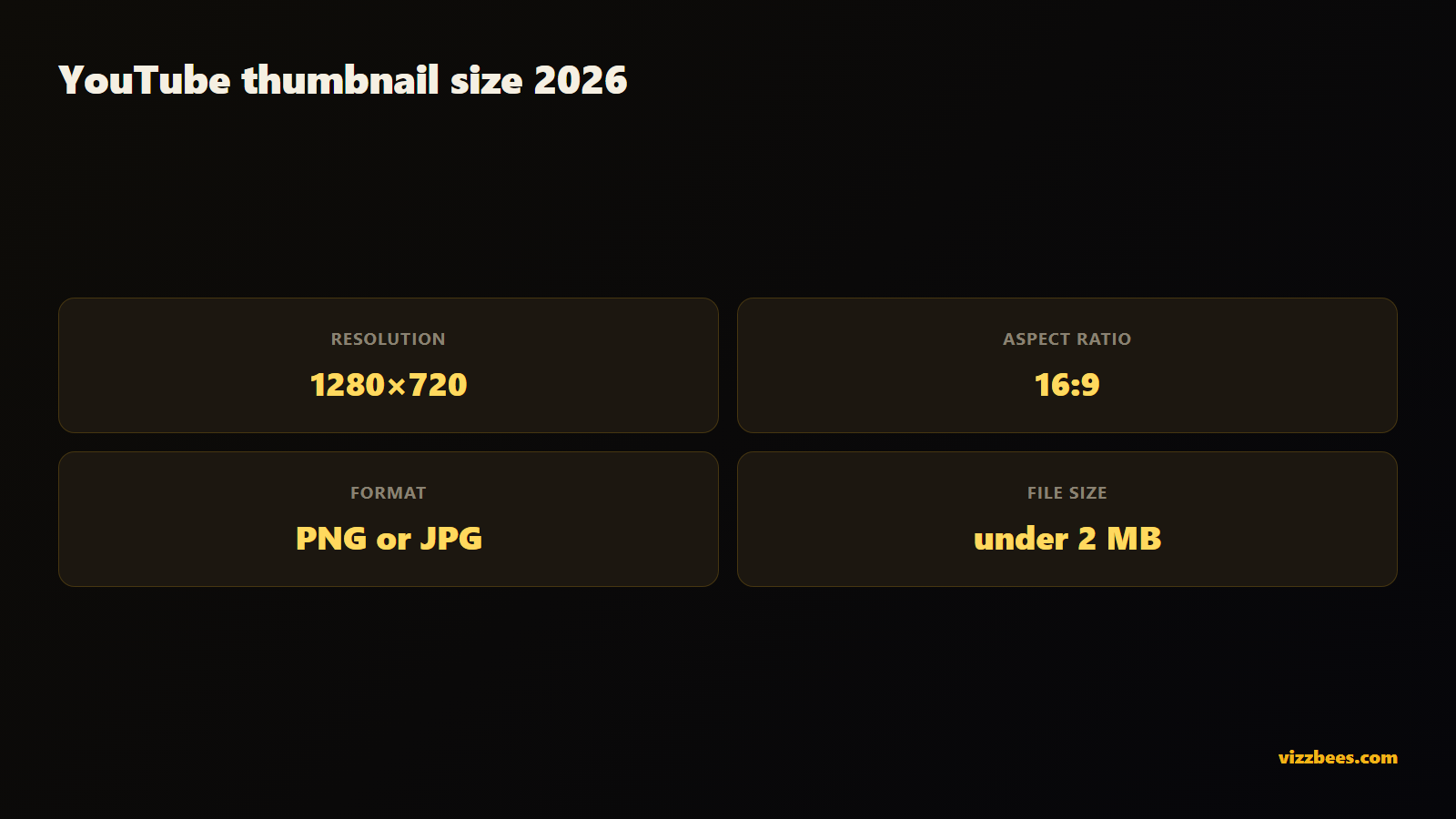
- Resolution: 1280×720 px
- Aspect ratio: 16:9
- Minimum width: 640 px
- File format: PNG (best for crisp text and edges) or JPG
- Maximum file size: 2 MB
1280×720 at 16:9 is the YouTube standard and what you should design to every time. It scales down cleanly to every place YouTube shows a thumbnail — home feed, sidebar, search, mobile, and the embedded player.
Why 16:9 matters
YouTube's player and every thumbnail slot are 16:9. Upload a square or 4:3 image and YouTube either crops it — cutting off your subject or text — or letterboxes it with bars that waste space and look amateur. Designing at 16:9 from the start means what you see is exactly what viewers see, with nothing chopped.
Design bigger, export down
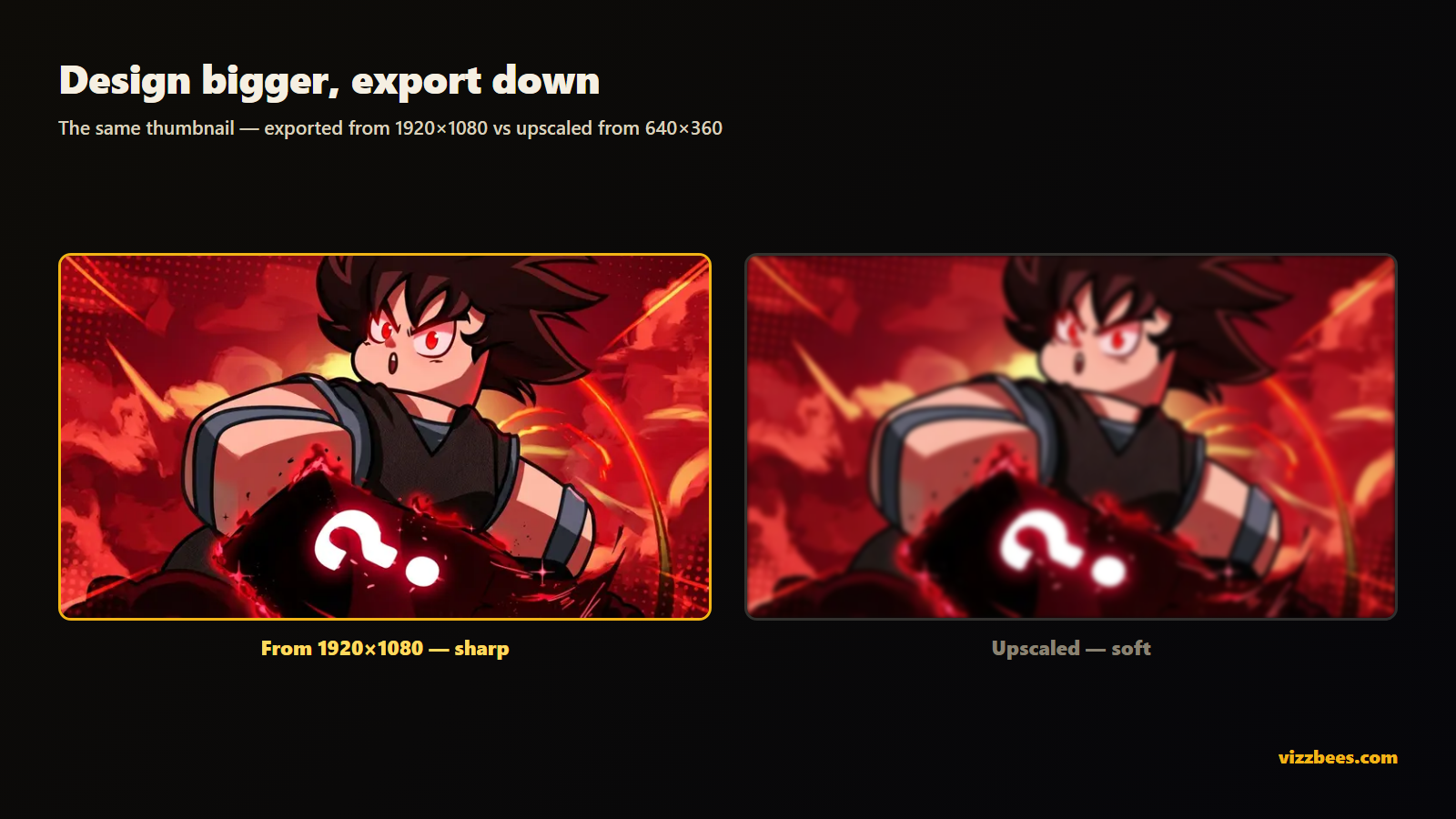
Here's the trick most creators miss: design at a higher resolution and export down to 1280×720.
- Work at 1920×1080 (also 16:9). You get more room to place detail, and when you scale to 1280×720, your text and edges come out razor-sharp instead of muddy.
- Never scale a small image up to 1280×720 — upscaling softens everything and adds artifacts.
- Export as PNG if your thumbnail has text or hard edges; PNG keeps them crisp. Use JPG only for photo-heavy thumbnails with no fine text, to save file size.
Safe zones: where not to put anything important
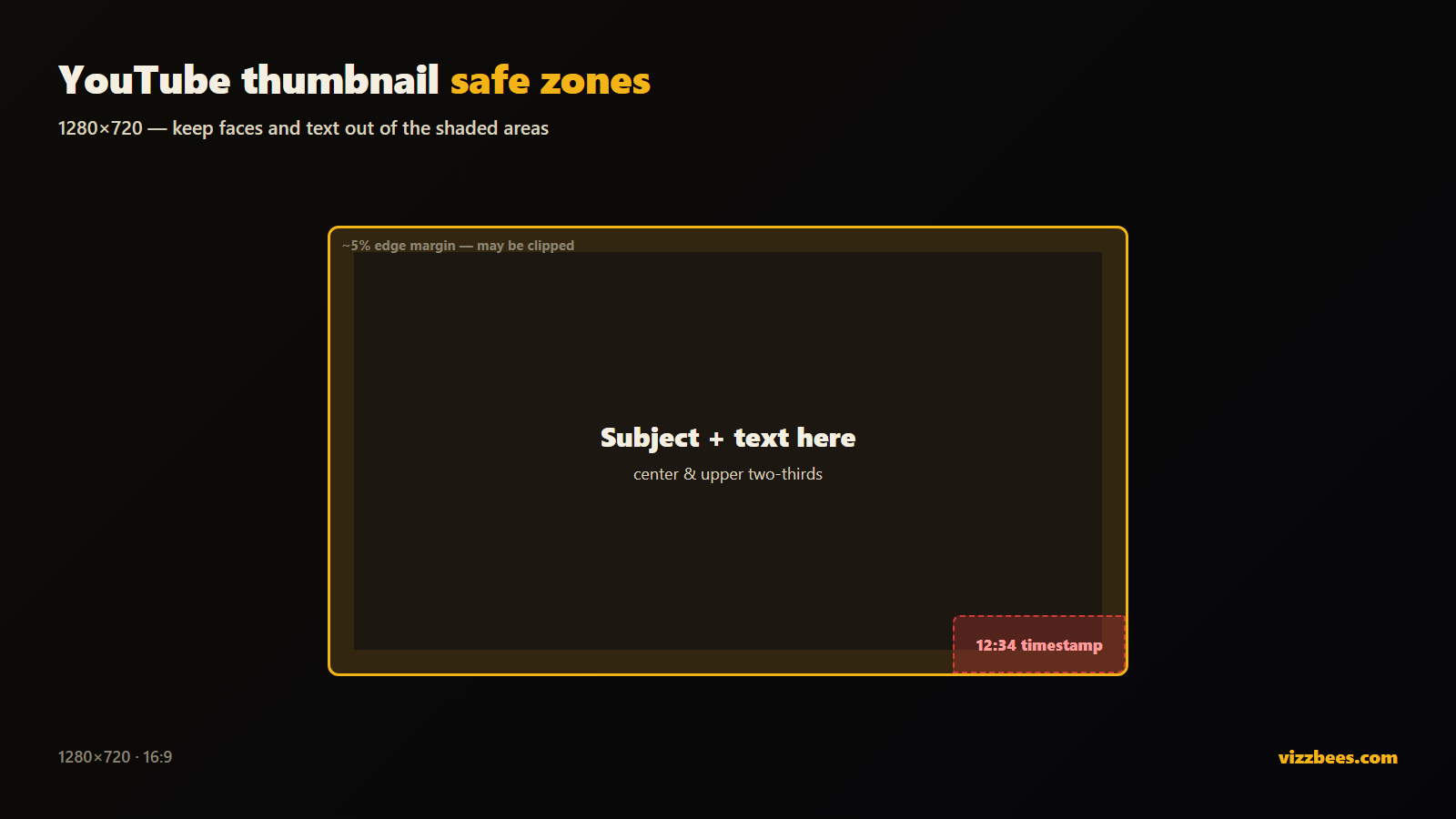
YouTube overlays UI on your thumbnail in some places. Keep critical content — faces, text — out of these zones:
- Bottom-right corner: the video duration timestamp sits here. Keep it clear.
- Bottom edge (progress/hover states): avoid placing text along the very bottom.
- Outer ~5% margin: give the whole frame a small breathing margin so nothing important sits at the edge where a crop could clip it.
Put your subject and text in the center and upper two-thirds of the frame, where nothing overlaps.
Shrink-test before you publish
Your thumbnail lives at sidebar and mobile size, not on your monitor. Before uploading, view it small — sidebar-recommendation size on desktop, and on an actual phone. If the subject and text still read clearly when it's tiny, it'll perform. If they turn to mush, simplify: fewer elements, bigger subject, shorter text.
Get the size right automatically
If you'd rather not manage export settings and safe zones by hand, an AI thumbnail generator built for YouTube outputs a correctly-sized 1280×720 image every time — no resizing, no cropping surprises.
Try it free: Generate a YouTube thumbnail with VizzBees — describe your video, pick a style, and get a click-ready 1280×720 thumbnail at the exact size above in seconds. VizzBees also makes Roblox and Fortnite thumbnails at their correct sizes.
FAQ
What is the correct YouTube thumbnail size? 1280×720 px, 16:9 aspect ratio, minimum 640 px wide. Use PNG or JPG and keep the file under 2 MB.
What aspect ratio should a YouTube thumbnail be? 16:9. It matches YouTube's player and every thumbnail slot, so nothing gets cropped or letterboxed.
What file format is best for YouTube thumbnails? PNG for thumbnails with text or hard edges — it stays crisp. JPG is fine for photo-heavy thumbnails and keeps file size down. Stay under 2 MB either way.
Why does my YouTube thumbnail look blurry? Usually because it was upscaled from a smaller image or over-compressed. Design at 1920×1080, export down to 1280×720 as PNG, and keep it under 2 MB.
What parts of a YouTube thumbnail get covered? The bottom-right corner shows the video duration, and the outer edges can be clipped in some layouts. Keep faces and text in the center and upper two-thirds of the frame.
Can I make a correctly-sized thumbnail without design software? Yes. An AI thumbnail generator like VizzBees outputs a 1280×720 thumbnail at the correct size automatically — no manual resizing or export settings.