
Minecraft is the biggest gaming niche on YouTube — and the most crowded. Thousands of creators upload the same biomes, the same mobs, the same hardcore challenges. When every video in the feed is a blocky world, the thumbnail is what decides whose video gets watched, and click-through rate is what tells the algorithm to keep pushing yours.
This guide covers exactly how to make a Minecraft thumbnail that earns the click — the correct size, the design rules top Minecraft channels use, a repeatable workflow, and how to get a professional result without Photoshop or Blender renders.
Why Minecraft thumbnails are their own craft
Minecraft has a paradox: the game looks the same for everyone, so raw screenshots all look alike. The channels that dominate the niche never use raw frames — they use designed thumbnails: a character posed mid-action, exaggerated lighting, dramatic scale, one clear story in a single image. The blocky style stays (viewers must recognize it's Minecraft instantly), but everything else — composition, contrast, emotion — is deliberate. Standing out in this niche means designing, not screenshotting.
The correct Minecraft thumbnail size
Minecraft content lives on YouTube, so it uses the YouTube spec:
- Resolution: 1280×720 px (16:9 aspect ratio)
- Minimum width: 640 px
- File format: PNG for crisp text and edges; JPG acceptable
- File size: under 2 MB
Design at 1920×1080 and export down to 1280×720 so text and edges stay sharp. Full breakdown in the YouTube thumbnail size guide.
The 6 rules of a high-CTR Minecraft thumbnail
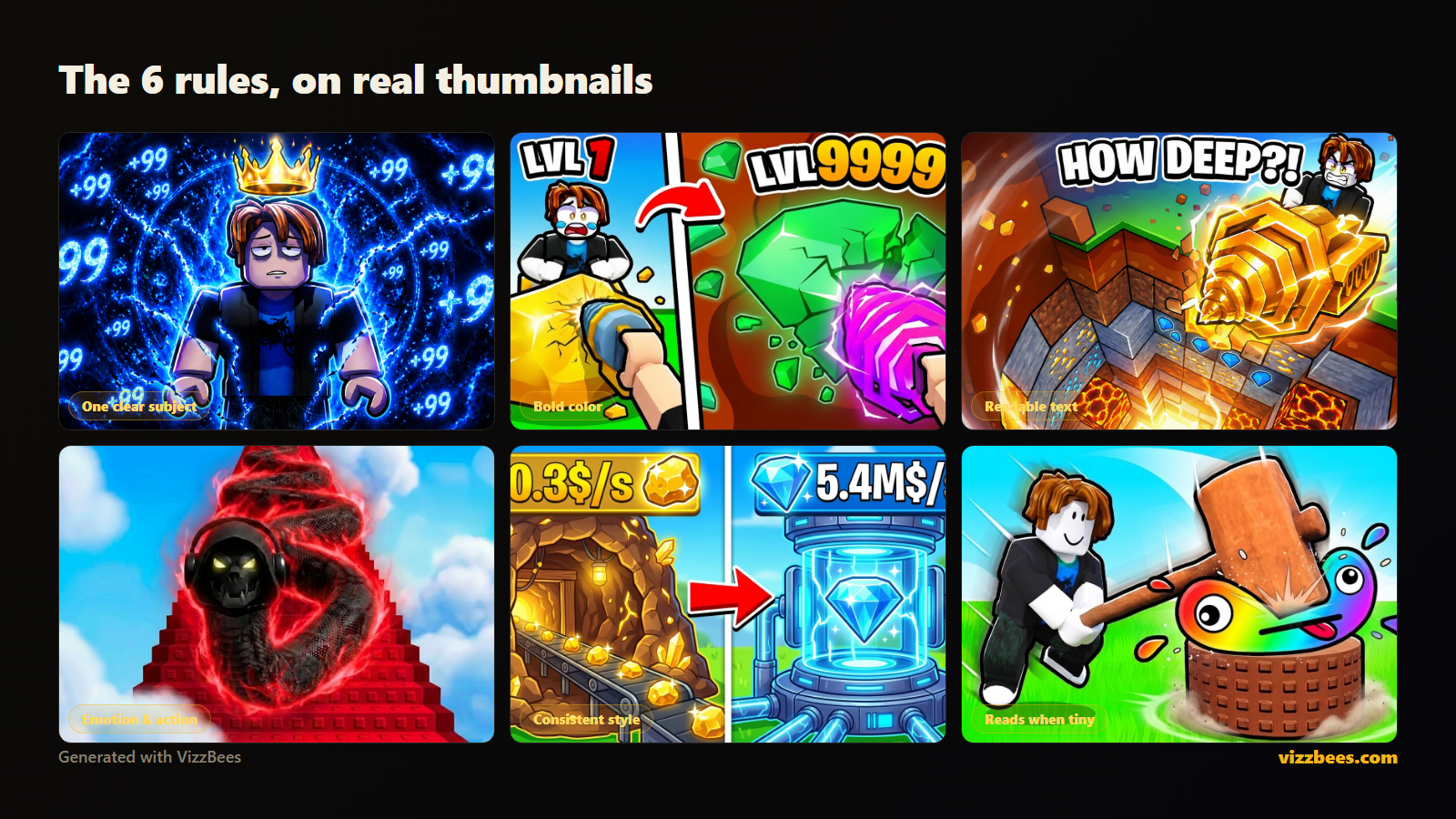
The top Minecraft channels repeat the same patterns. These are what win the click at feed scale.
1. One clear subject
A single character, mob, or moment as the focal point. A busy build with ten details turns to mush at sidebar size. Pick the one thing the viewer should see instantly — a warden emerging, a beacon firing, a character at 2 hearts.
2. Blocky, but posed
Keep the Minecraft look — viewers must recognize the game in half a second — but pose the subject like a movie poster: mid-swing, mid-fall, mid-explosion. A posed blocky character out-clicks a static screenshot every time.
3. Dramatic lighting and scale
The game's flat daylight is the enemy. Torchlight against darkness, a beacon beam at night, a giant mob towering over a tiny player — lighting and scale create the drama raw gameplay never shows.
4. Readable text — three words max
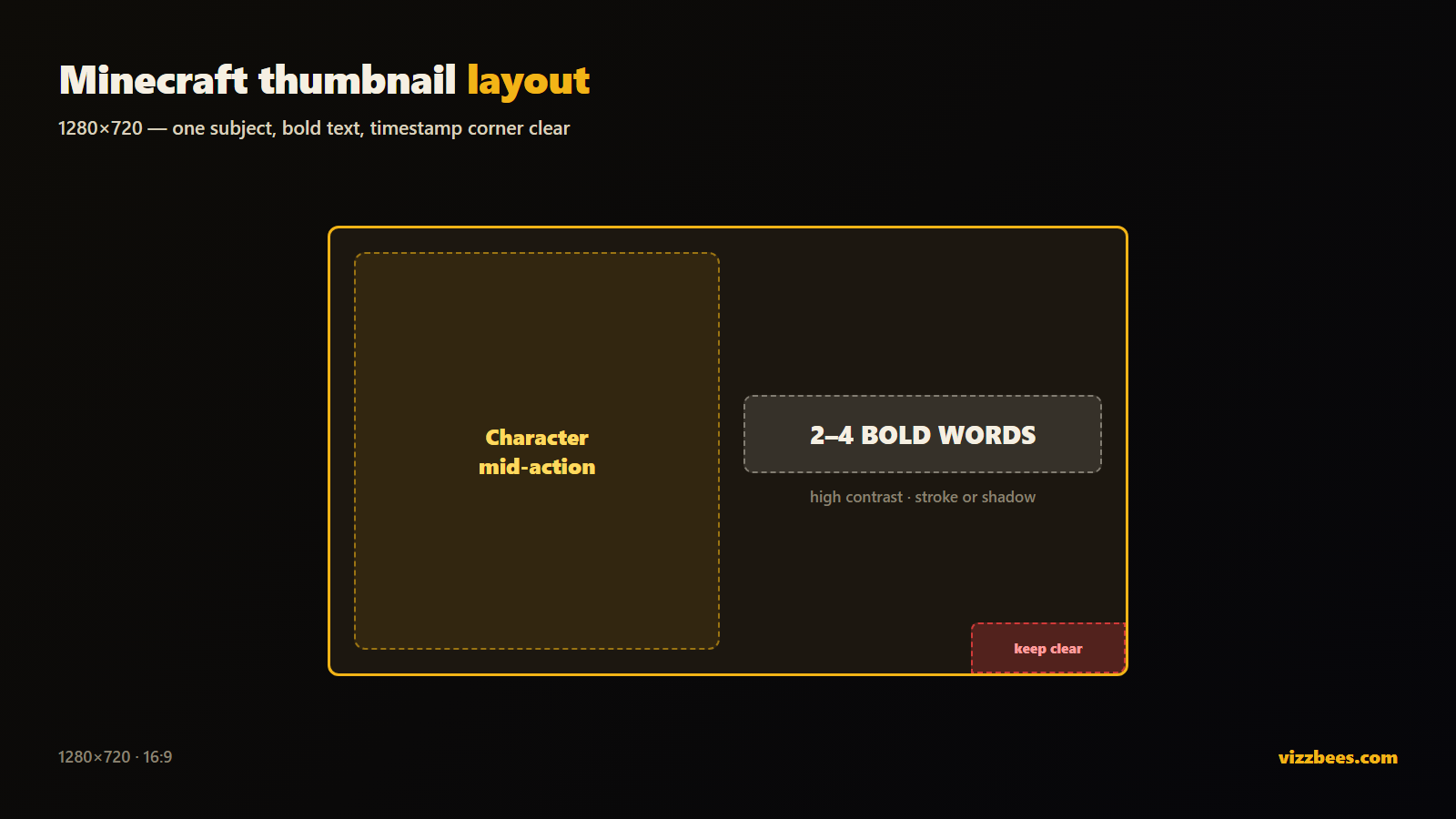
Two to four huge, bold words: "100 DAYS," "I FOUND IT," "DAY 1 vs 100." Longer is unreadable at sidebar size. The text should add curiosity your title doesn't — not repeat it.
5. Stakes and progression
Minecraft viewers click on stakes: hardcore mode, one life left, before-vs-after builds, day 1 versus day 100. Show the tension or the transformation in the image itself.
6. Design for the smallest size first
Your thumbnail lives at sidebar and mobile size. Shrink it tiny — if the subject and text still read, you've won. If not, simplify. This is the rule most creators break.
Step-by-step: your thumbnail workflow
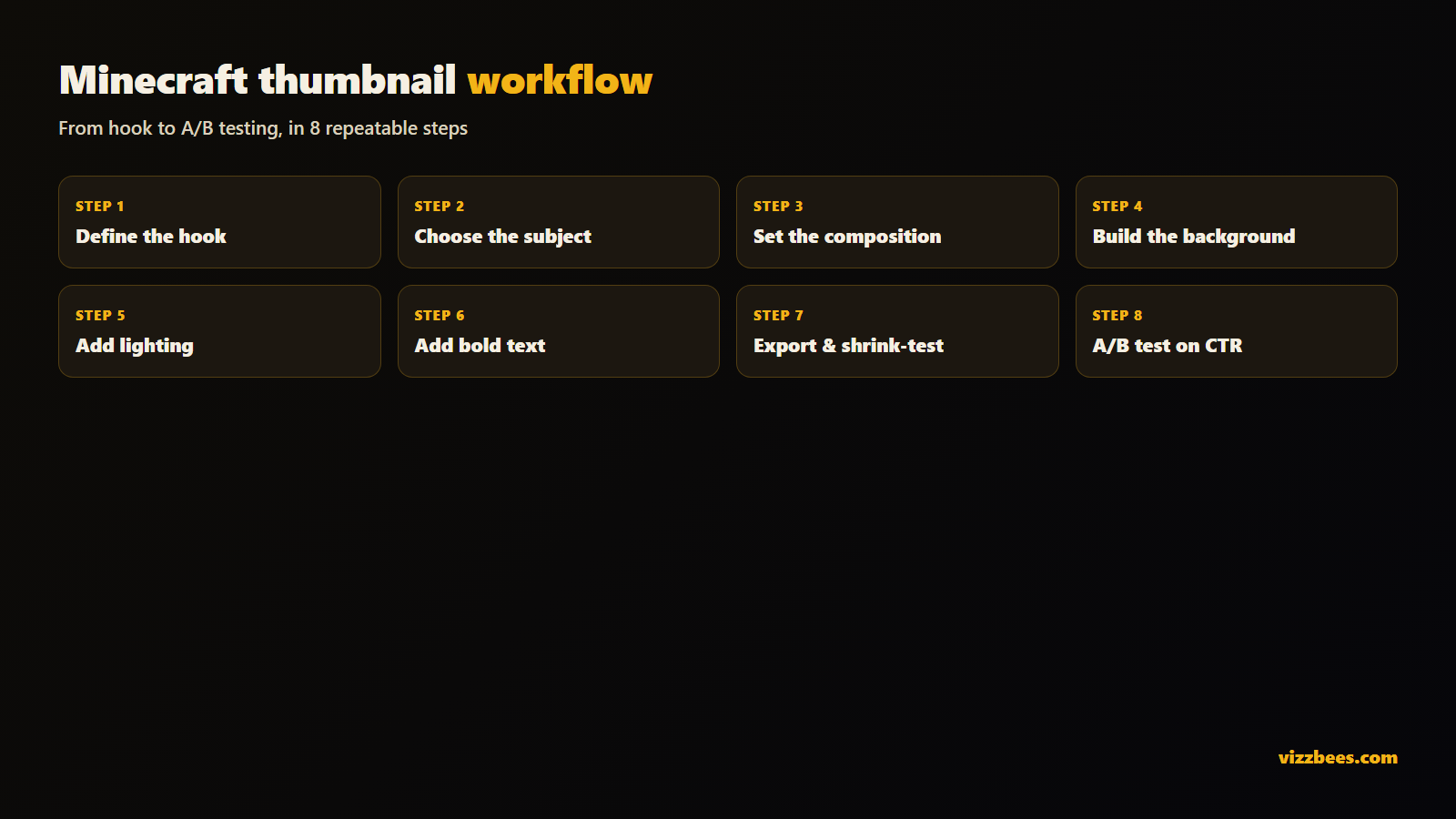
- Define the hook. In one sentence, what's the most clickable moment in this video? That's your brief.
- Choose the subject. A character, mob, or build that represents the hook. Give it a pose or a moment of tension.
- Set the composition. Subject filling 40–60% of the frame, slightly off-center. Keep the bottom-right corner clear for the timestamp.
- Build the background. A recognizable biome or structure, simplified and darkened so it never competes with the subject.
- Add lighting and separation. A rim light, glow, or torch-lit contrast lifts the subject off the background — the step that makes a thumbnail look pro.
- Add text (optional). Two to four bold words, high contrast, with a stroke or shadow so they read on any background.
- Export at spec and shrink-test. 1280×720, preview tiny before publishing.
- A/B test. Ship it, watch CTR in YouTube Studio, iterate. Swap thumbnails on underperformers and keep the winner.
Do you need Photoshop or Blender?
The classic Minecraft thumbnail pipeline means posing a character rig in Blender or Mine-imator, rendering it, then compositing lighting and text in Photoshop — hours per image plus a real learning curve. For a creator uploading a survival series weekly, that's a genuine bottleneck.
You do not need it anymore. VizzBees has a dedicated Minecraft style — blocky characters, dramatic lighting, and clean composition baked into every render, generated in about 6 seconds at the correct 16:9 size. You describe the moment, and get a finished, upload-ready asset. Generate a strong base, then tweak text or crop in any free editor.
Try it free: Generate a Minecraft thumbnail with VizzBees — describe your moment, and get a click-ready 16:9 thumbnail in seconds. No Blender, no render times.
Common mistakes that kill your click-through rate
- Raw screenshots with flat daylight and no subject — they vanish in a feed of identical biomes.
- Tiny detailed text that disappears at sidebar size.
- Cluttered builds as the focal point — impressive at full size, mush when tiny.
- Repeating your title instead of adding a curiosity hook.
- Never iterating — your first thumbnail is a guess; CTR is the truth.
Fixing even two of these usually moves CTR within days.
Turn a good thumbnail into a growth engine
In the biggest niche on YouTube, the creators who iterate fastest win. Ship a strong first version using the rules above, watch CTR in YouTube Studio, and swap a fresh variant onto anything that underperforms. A designed, posed, dramatically-lit thumbnail reliably out-clicks a raw frame — so consistent thumbnail craft compounds into feed presence over time. The high-CTR fundamentals are the same in every niche; Minecraft just punishes skipping them harder.
Ready to make yours? Create your Minecraft thumbnail with VizzBees → — free to start, dedicated Minecraft style, correct sizes.
FAQ
What size should a Minecraft thumbnail be? 1280×720 px, 16:9 aspect ratio — the YouTube standard. Use PNG or JPG, keep it under 2 MB, and design larger before scaling down for sharpness.
How do I make a Minecraft thumbnail without Photoshop or Blender? Use an AI generator with a real Minecraft style, like VizzBees. Describe the moment and get a finished, correctly-sized thumbnail in seconds — no rigging, rendering, or compositing.
What makes a Minecraft thumbnail get more clicks? One clear subject, a posed blocky character, dramatic lighting and scale, minimal bold text that adds curiosity, and a design that stays readable at tiny sidebar size.
Should I use a screenshot as my Minecraft thumbnail? Almost never. Every Minecraft screenshot looks like every other Minecraft screenshot — a designed thumbnail with a posed subject and dramatic lighting reliably out-clicks a raw frame.
Can VizzBees make Minecraft skins too? Yes — Minecraft skins are a dedicated format in the same workspace. Describe the character and download the skin template.
What text should I put on a Minecraft thumbnail? Two to four huge, bold words that add stakes or curiosity — "100 DAYS," "LAST LIFE," "I FOUND IT." Never repeat the title; the thumbnail text should make the click more necessary, not less.